
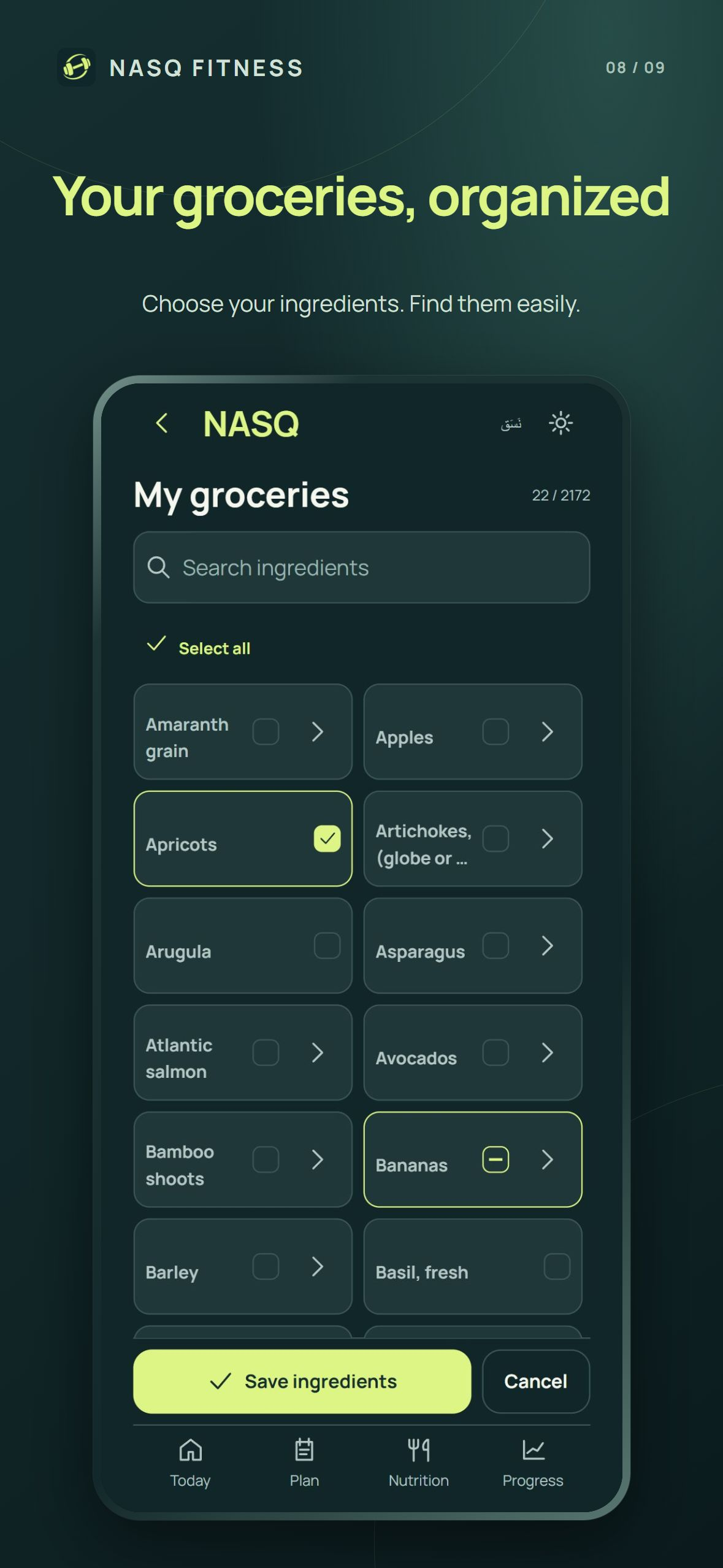
1. Make the grocery selection reflect your kitchen
Open the grocery selection and review the selected ingredients. Keep the foods you actually have or intend to use, and deselect the rest. A selection is an availability list, not a record of what you have eaten. Updating it gives the meal workflow better information to work with.
2. Review meals against ingredient availability
Browse the meal options and inspect the ingredient list before choosing one. Check what is available and what is missing. Similar ingredient names can still describe different foods or preparations; the ingredient and its quantity matter more than the meal title alone.
3. Check the quantities before saving
When editing a meal, review each ingredient quantity and the resulting meal totals. Adding an ingredient, removing one or changing its quantity changes the planned nutrition. If using the quantity-sync preview, compare the proposed amounts with your current meal before saving the change.
4. Keep planned food separate from eaten food
A meal on a plan is not automatically proof that you ate it. Record what you consumed through the app workflow and review the daily totals in that context. If a portion or ingredient changes in real life, reflect that change in the record rather than treating the original suggestion as exact.
5. Use daily totals as a review point
Review the planned calories, protein, carbohydrate and fat together. When adjusting the remaining food in a day, check the result before accepting it. Estimated targets organize the plan; they are not a diagnosis or a guarantee that a particular intake is right for every individual.
6. Keep availability current
Revisit your grocery selection as ingredients run out or new ones become available. For a simpler routine, choose a few meals you can prepare consistently, review their quantities and reuse the workflow. NASQ brings meal planning, training and progress into the same English/Arabic iPhone app.
Food values and energy targets are estimates. This walkthrough explains the app and does not provide medical nutrition advice or a personalized diet.
Common questions
Is selecting an ingredient the same as logging a meal?
No. Grocery selection describes availability; meal and consumption records describe planned or eaten food.
Can I change a meal’s ingredients?
Yes. Review ingredient quantities and their effect on the meal and planned daily totals when editing.
Does downloading NASQ unlock every meal feature?
No. Downloading is free; smart meal generation and selected personalization tools require Premium. Local pricing and terms appear before purchase.