1. Start with your actual equipment
In your profile, select the equipment you can use for this plan. If you train at home with dumbbells, select dumbbells; do not select machines simply because you might use them later. Choose the no-equipment option when that describes your setup. Equipment availability affects which exercises the planner can offer.
2. Choose days, time and a training method
Set your experience level, available training days and session time, then review the training method options available for your equipment. These inputs describe the plan you want to follow. A planned duration is an estimate: time spent setting up equipment, watching instructions and moving between exercises varies in practice.
3. Review the session before starting
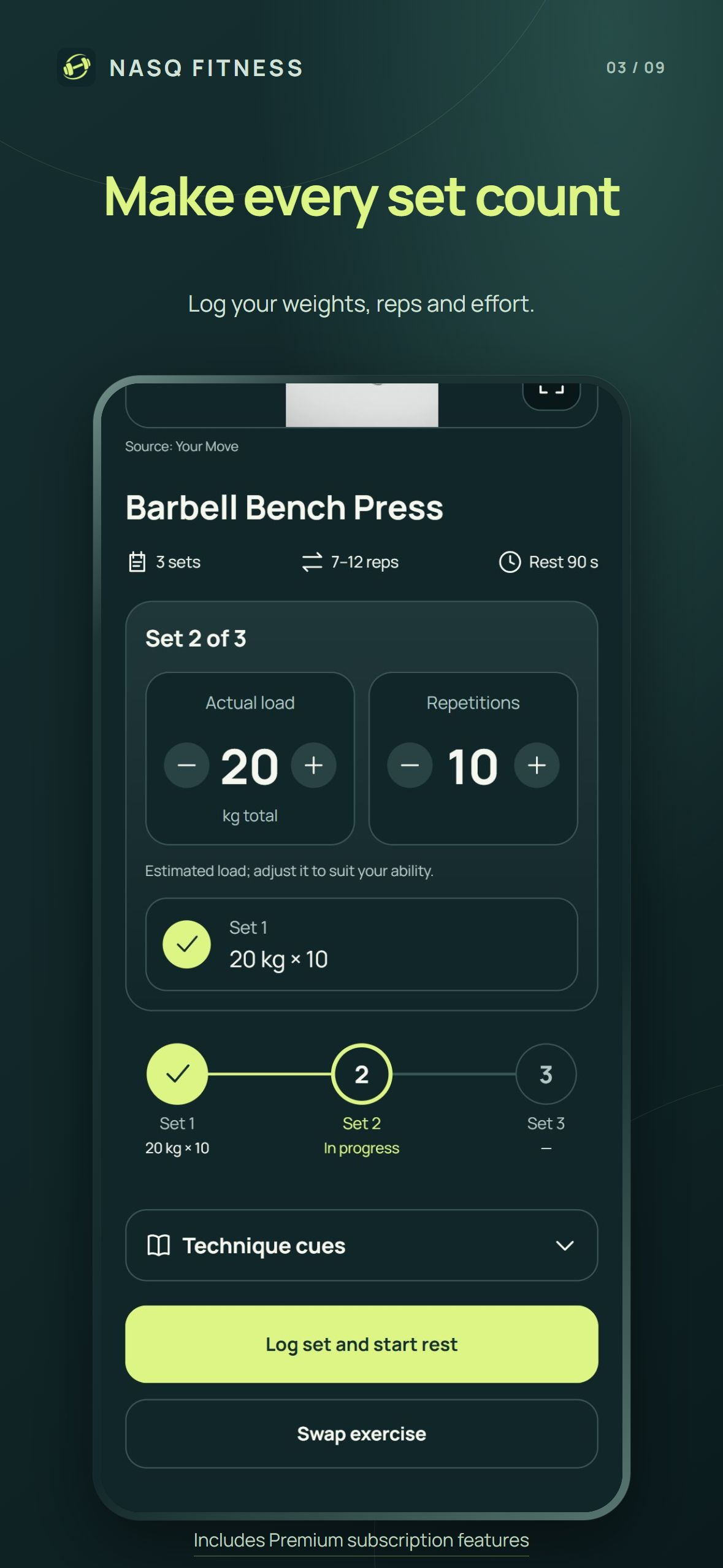
Look at the exercises, sets and repetition targets. Open the technique video and written instructions when you need a movement demonstration. A demonstration explains the exercise; it does not establish the right load for an individual. Suggested weights can be changed to suit the equipment and your ability.
4. Record what you completed
During a guided session, check the weight and repetition values before recording a set. Log the work you actually performed, rather than copying the target when your result was different. Completed-set indicators let you see your place in the exercise without maintaining a second note.
5. Use alternatives in context
If an exercise does not fit your setup, open the exercise replacement option and review the available alternatives. Check the equipment and movement instructions before choosing. The available list depends on your profile and library; a large exercise library does not mean every movement has an equivalent for every equipment selection.
6. Update your setup when it changes
When your equipment changes, update that selection before relying on the next plan. Keep a record of your actual training and review progress over time. The purpose is a repeatable workflow: choose the setup, follow the session, log the result and adjust your next session using that history.
This is a product walkthrough for adults, not a personalized exercise prescription. NASQ provides general fitness tools; technique demonstrations and suggested loads do not replace individual professional guidance.
Common questions
Do I need a full gym?
Select the equipment you have, including the no-equipment option when appropriate. Exercise and training-method availability depend on that selection.
Can I change a suggested weight?
Yes. Review and adjust the load before recording your set. A suggested number is an estimate, not a requirement.
Is the guided session free?
NASQ is free to download. Guided workout sessions and selected personalization tools require Premium; the App Store shows local subscription terms before purchase.